Introduction to Quarto

Katja Kozjek

NBIS, SciLifeLab

27-Mar-2026

What do you currently use?

What tools, softwares do you use to perform analysis? What do you use for calculations and visualizations?

  • Excel?
  • R?
  • Python?

How do you write reports, journal articles, presentations?

  • Word?
  • PowerPoint?
  • LaTeX?
  • R Markdown?

What is Quarto?

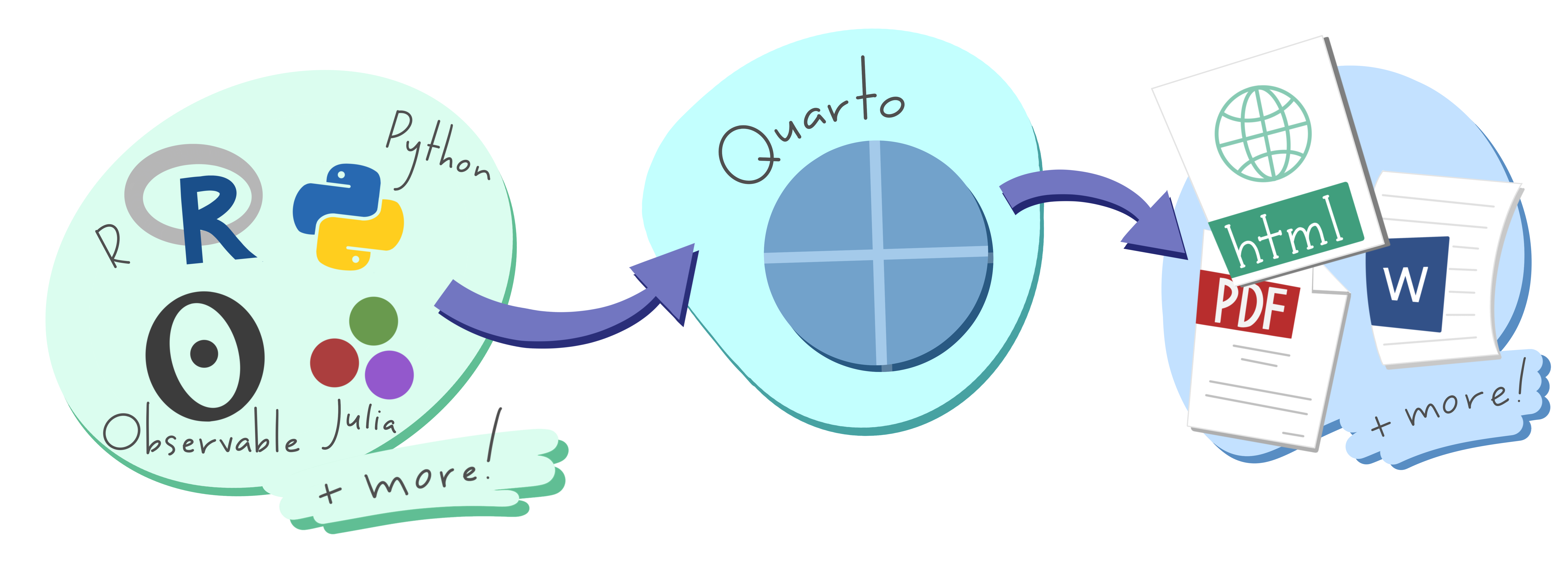
Quarto is an open-source scientific and technical publishing system.

  • Quarto allows you to combine text, images, code, plots, and tables in a fully-reproducible document.
  • It supports multiple programming languages (R, Python, Julia, etc.).
  • It works with various output formats (HTML, PDF, presentations, websites, etc.)
  • It is compatible with multiple editors (RStudio, VS Code, Jupyter Lab, etc.).


Why use Quarto?

  • More journals require code submission to promote reproducibility and transparency.
  • Copying and pasting is tedious and a great source of accidental errors.
  • If you fix an error in code or data, the results and figures in the paper update automatically.
  • Easy collaboration and sharing.
  • Open source so anyone can use it.

Installation


  • If using RStudio, you need a version v2022.07.1 or newer
  • R package quarto is a wrapper around the Quarto CLI, it provides an R interface to common Quarto operations for users who prefer to work in the R console rather than a terminal
  • Visual Studio Code along with Quarto VS Code extension is a great option

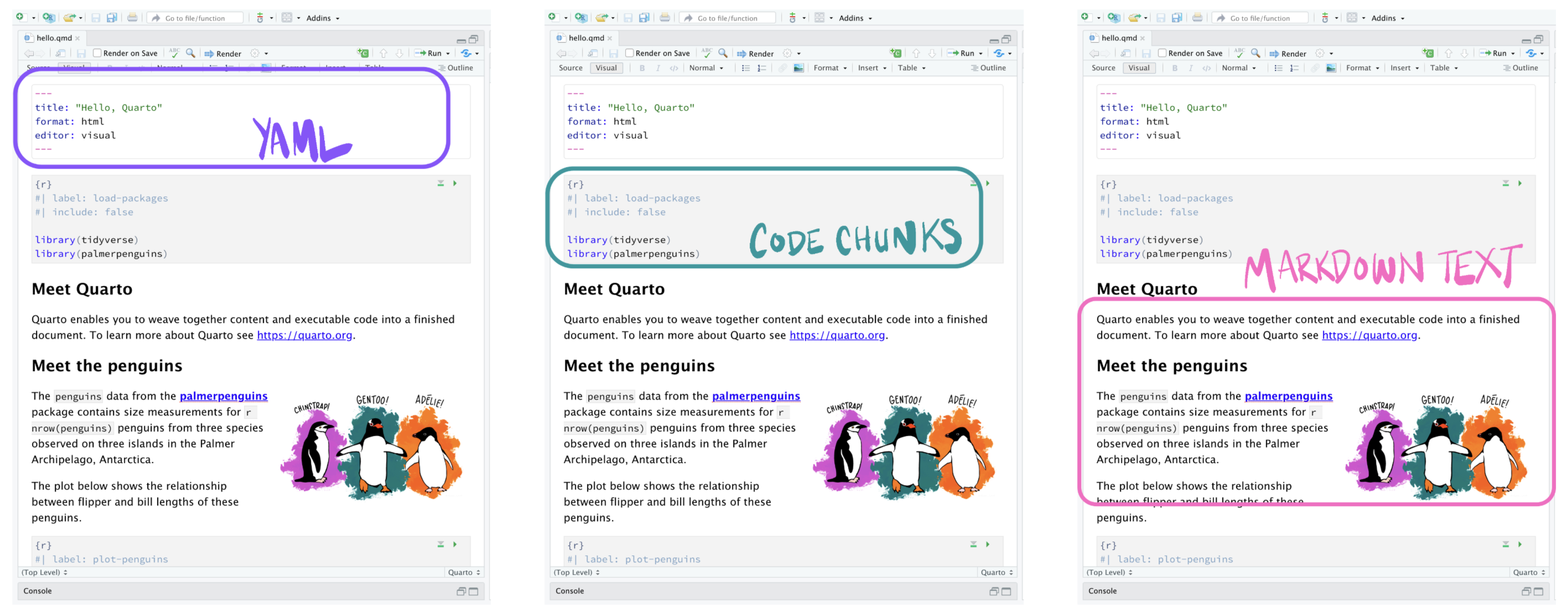
Quarto document anatomy

Quarto file – a plain text file that has the extension .qmd
Rendering Quarto document

  • Preview (while writing to see changes instantly)
    • From R console using the quarto R package: quarto::quarto_preview("report.qmd")
    • From terminal: quarto preview report.qmd
  • Render (to create the final version of the document)
    • Using the Render button in RStudio
    • From R console using the quarto R package: quarto::quarto_render("report.qmd")
    • From terminal: quarto render report.qmd

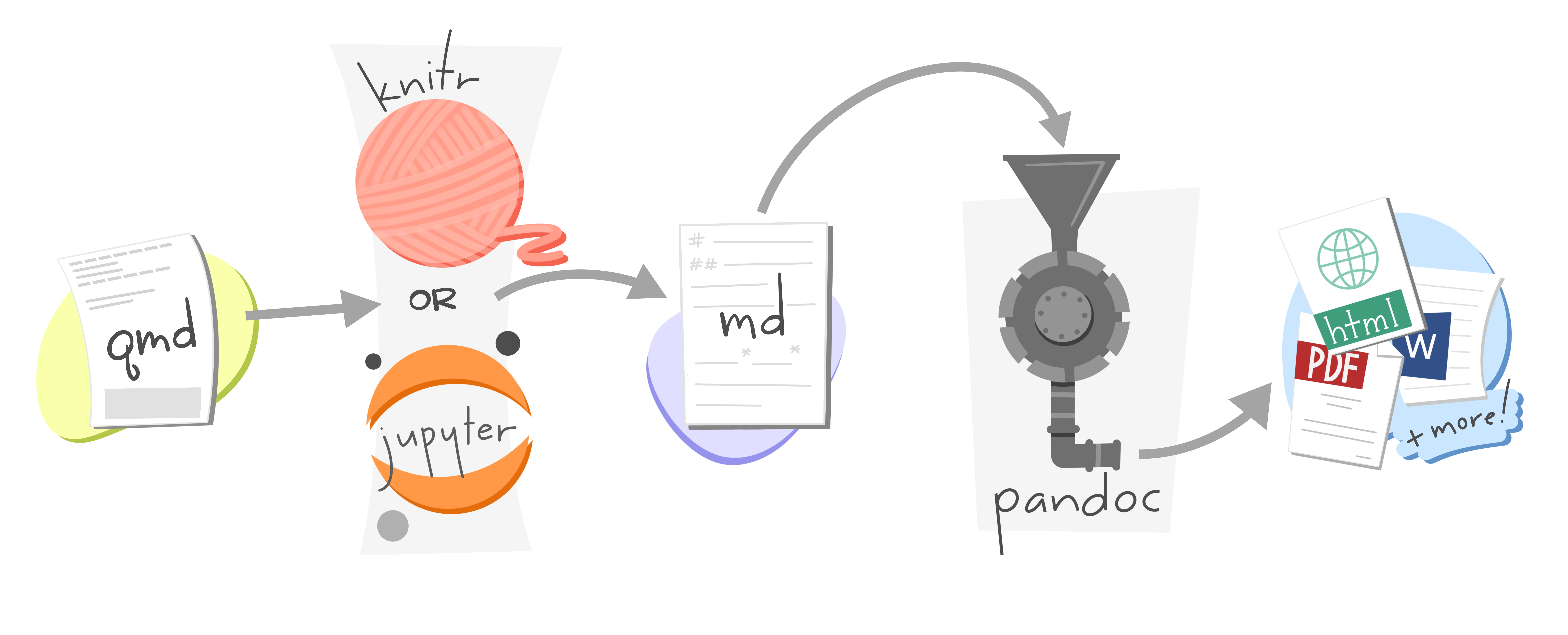
How rendering works?


YAML metadata

---
title: "Intro to Quarto"
format: html
---
  • Bracketed by ---
  • Defines document-wide options
  • Specifies the output format
  • Can include several parameters

Document content (Markdown text)

  • Images, tables, text, videos, equations, etc.
  • Freely add and format text using Markdown syntax
# Meet the penguins
The `palmerpenguins` data contains size measurements for three penguin species 
observed on three islands in the Palmer Archipelago, Antarctica.

![](./images/lter_penguins.png)

The three species of penguins have quite distinct 
distributions of physical dimensions (@fig-penguins).

## Bill dimensions

Code chunks

  • Code blocks are the main way of including executable R code in a document.
  • They are defined by three backticks followed by the language name, and closed by three backticks.
  • Specify global and/or local chunk options (e.g. figure dimensions)
  • Also works with other languages (e.g. Python)
## Bill dimensions
```{r}
#| label: fig-penguins
#| fig-cap: "Bill dimensions of penguins across three species."
#| fig-width: 10
#| fig-height: 5

penguins %>%
  ggplot(aes(x = bill_length_mm, y = bill_depth_mm)) +
  geom_point(aes(color = species, 
                shape = species),
                size = 2) + 
  geom_smooth(method = "lm", se = FALSE, aes(color = species)) +
  scale_color_manual(values = c("darkorange","darkorchid","cyan4")) + 
  labs(color = "Species", shape = "Species") + 
  xlab("Bill length (mm)") + ylab("Bill depth (mm)") + 
  theme_bw()
```

Output formats

  • Reports and general documents: HTML, PDF, MS Word
  • Presentations: Revealjs, PowerPoint, Beamer
  • Interactive documents: Observable, R Shiny
  • Books
  • Websites

Moving between output formats is straightforward

Document HTML

lesson-1.qmd

title: "Lesson 1"
format: html

Document PDF

lesson-1.qmd

title: "Lesson 1"
format: pdf

Presentation

lesson-1.qmd

title: "Lesson 1"
format: revealjs

Website

_quarto.yml

project:
  type: website

website: 
  navbar: 
    left:
      - lesson-1.qmd

Book

_quarto.yml

project:
  type: book

website: 
  navbar: 
    left:
      - lesson-1.qmd

Sources

Thank you. Questions?