Pipelines with targets
RaukR 2026 • Data Science With R
20-Aug-2026
What is targets?
targets is a pipeline toolkit for R that:
- Declares steps of your analysis as targets
- Tracks which steps of your analysis are up to date
- Skips steps whose inputs have not changed
- Makes the dependency graph of your analysis explicit
- Provides reproducibility by design
The problem targets solves
- You have a 3-hour data processing step
- You change a plotting function
- Do you need to re-run data processing? No — but how do you know?
- With a flat script, you re-run everything
- With targets, only the changed and downstream steps re-run

Exploring the pipeline
tar_manifest()Structure & dependencies
# A tibble: 4 × 2
  name          command
  <chr>         <chr>
1 data_raw      "datasets::mtcars"
2 data_clean    "transform(data_raw, am = factor(am, labels = c(\"automatic\", …
3 model         "stats::lm(mpg ~ wt + am, data = data_clean)"
4 model_summary "summary(model)" tar_outdated()targets status
[1] "data_clean" "model_summary" "data_raw" "model" tar_meta()Metadata about targets, status, and dependencies
tar_visnetwork()Visualize dependency graph
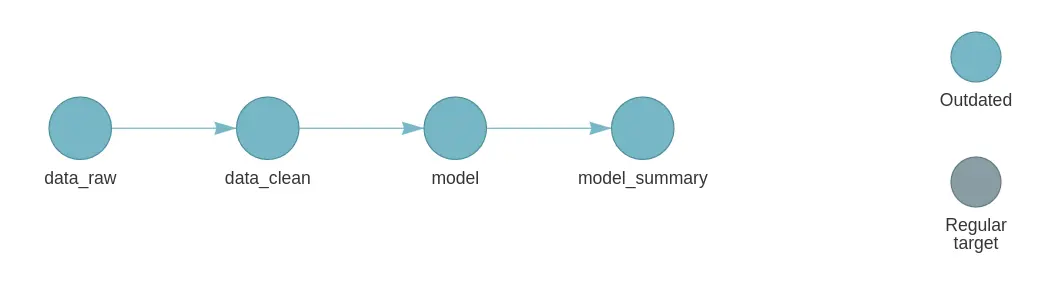
Opens an interactive graph in the viewer:
| Colour | Meaning |
|---|---|
| Grey | Outdated: will run |
| Green | Up to date: will be skipped |
| Blue | Functions / objects |
| Red | Error |
tar_glimpse()Visualize simpler dependency graph
Running the pipeline
Run specific targets
tar_make(names = "data_clean")
+ data_raw dispatched
✔ data_raw completed [0ms, 1.23 kB]
+ data_clean dispatched
✔ data_clean completed [0ms, 1.26 kB]
✔ ended pipeline [209ms, 2 completed, 0 skipped]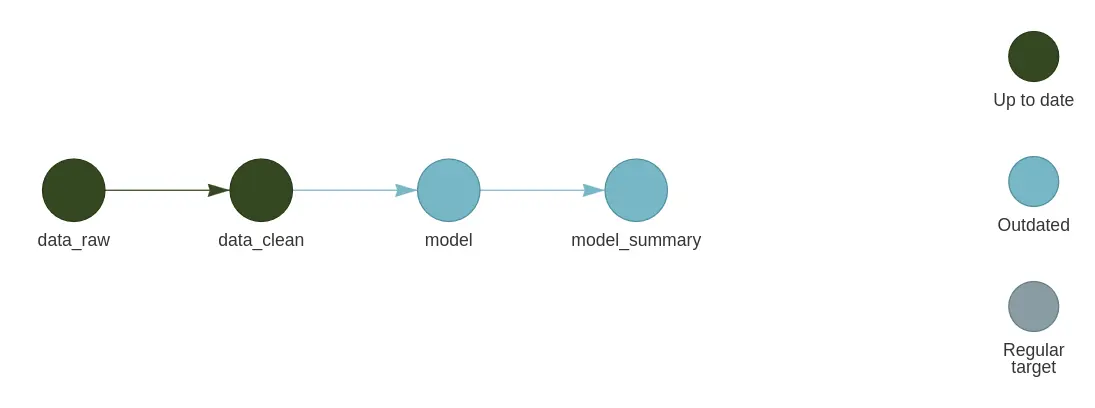
Run all targets
tar_make()
+ model dispatched
✔ model completed [3ms, 3.42 kB]
+ model_summary dispatched
✔ model_summary completed [1ms, 2.33 kB]
✔ ended pipeline [193ms, 2 completed, 2 skipped]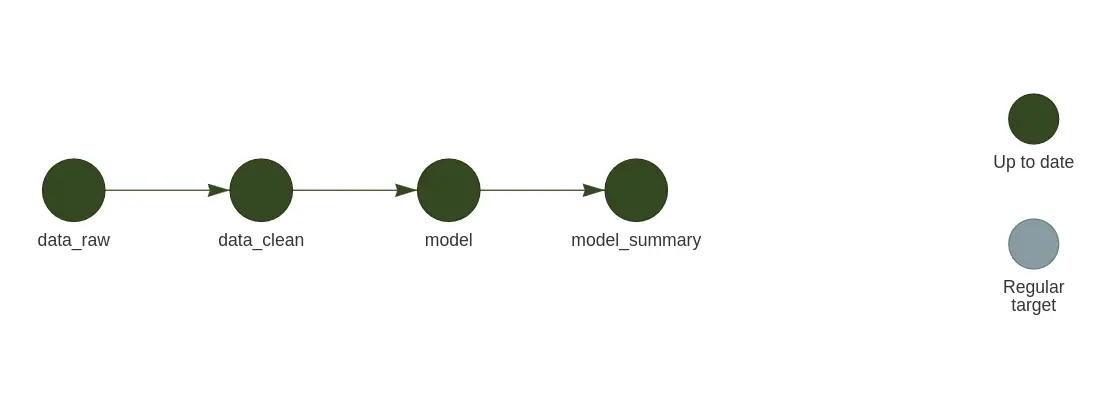
Simplifying the pipeline
Normal pipeline
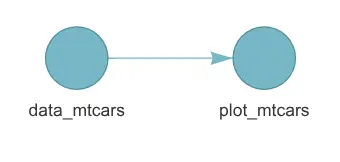
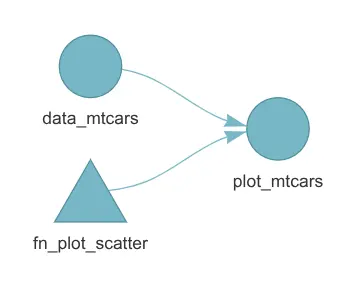
Place custom functions in R/
And source them at the top of _targets.R:
Working with files
Normal pipeline
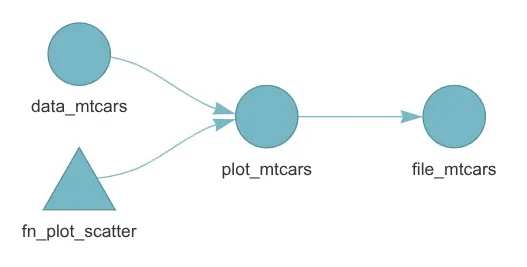
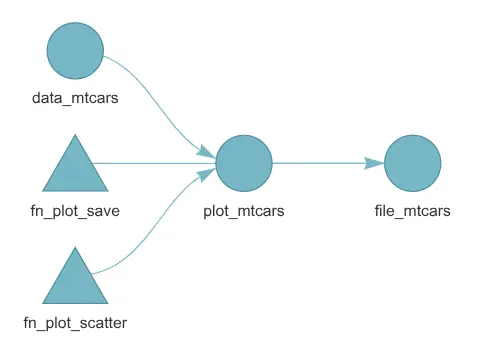
Create a function to save the plot and return the file path:
Extending targets with tarchetypes
tarchetypes provides high-level target archetypes that reduce boilerplate in targets pipelines.
A collection of factory functions that create common target patterns — especially for:
- Rendering Quarto / R Markdown documents
- Iterating over combinations of parameters
- Time-based cues and polling
- Grouping dynamic branches

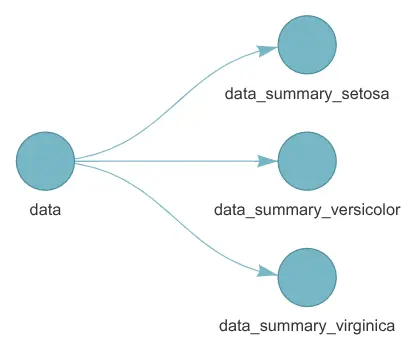
Static branching
When you know every case before the pipeline runs.
library(targets)
library(tarchetypes)

species_names <- c(
  "setosa",
  "versicolor",
  "virginica"
)

list(
  tar_target(data, datasets::iris),
  tar_map(
    values = list(
      species_name = species_names
    ),
    names = species_name,
    tar_target(
      data_summary,
      dplyr::summarise(
        dplyr::filter(data, Species == species_name),
        species = dplyr::first(Species),
        observations = dplyr::n(),
        mean_sepal_length = mean(Sepal.Length)
      )
    )
  )
)
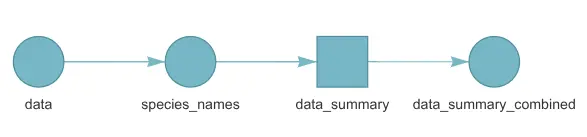
Dynamic branching
When the number of cases is unknown until the pipeline runs.
library(targets)

list(
  tar_target(data, datasets::iris),
  tar_target(
    species_names,
    as.list(sort(unique(data$Species))),
    iteration = "list"
  ),
  tar_target(
    data_summary,
    dplyr::summarise(
      dplyr::filter(data, Species == species_names),
      species = dplyr::first(Species),
      observations = dplyr::n(),
      mean_sepal_length = mean(Sepal.Length)
    ),
    pattern = map(species_names),
    iteration = "list"
  ),
  tar_target(
    data_summary_combined,
    dplyr::bind_rows(data_summary)
  )
)
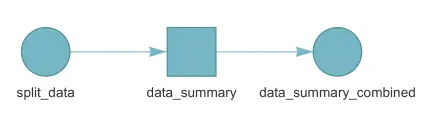
Branching with groups
Split a data frame into groups and process each group as a branch:
library(targets)
library(tarchetypes)

list(
  tar_group_by(
    split_data,
    datasets::iris,
    Species
  ),
  tar_target(
    data_summary,
    dplyr::summarise(
      split_data,
      species = dplyr::first(Species),
      observations = dplyr::n(),
      mean_sepal_length = mean(Sepal.Length)
    ),
    pattern = map(split_data),
    iteration = "list"
  ),
  tar_target(
    data_summary_combined,
    dplyr::bind_rows(data_summary)
  )
)
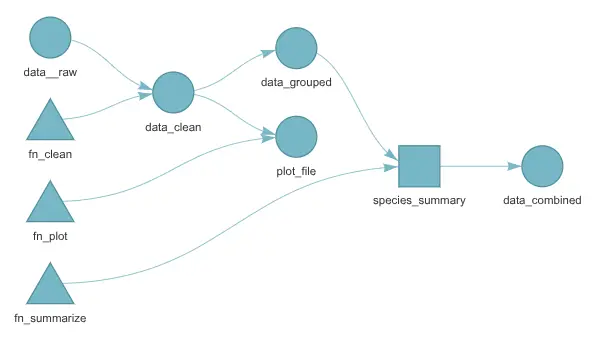
A complete pipeline
library(targets)
library(tarchetypes)
library(crew)

fn_clean <- function(data) {
  dplyr::filter(data,
    !is.na(flipper_length_mm), !is.na(body_mass_g)
  )
}

fn_summarize <- function(data) {
  dplyr::summarise(
    data,
    penguins = dplyr::n(),
    mean_flipper_mm = mean(flipper_length_mm),
    mean_body_mass_g = mean(body_mass_g)
  )
}

fn_plot <- function(data) {
  path <- "output/penguin-flipper-mass.png"
  dir.create(dirname(path), showWarnings = FALSE)
  plot <- ggplot2::ggplot(
    data,
    ggplot2::aes(
      flipper_length_mm,
      body_mass_g,
      colour = species
    )
  ) +
    ggplot2::geom_point() +
    ggplot2::labs(
      x = "Flipper length (mm)",
      y = "Body mass (g)"
    )
  ggplot2::ggsave(
    path, plot, width = 7, height = 5
  )
  path
}

tar_option_set(
  packages = c("dplyr", "ggplot2", "palmerpenguins"),
  format = "rds",
  seed = 42,
  controller = crew::crew_controller_local(workers = 2)
)

list(
  tar_target(data_raw, palmerpenguins::penguins),
  tar_target(data_clean, fn_clean(data_raw)),

  # Run one summary branch for each species.
  tar_group_by(data_grouped, data_clean, species),
  tar_target(
    species_summary,
    fn_summarize(data_grouped),
    pattern = map(data_grouped),
    iteration = "list"
  ),
  tar_target(
    data_combined,
    dplyr::bind_rows(species_summary)
  ),

  tar_target(
    plot_file,
    fn_plot(data_clean),
    format = "file"
  )
)