Managing R environment with renv

RaukR 2026 • Data Science With R

Roy Francis

18-Aug-2026

Contents

  • What is renv?
  • Overview of functions
  • Usage examples
  • Tips & Tricks

What is renv?

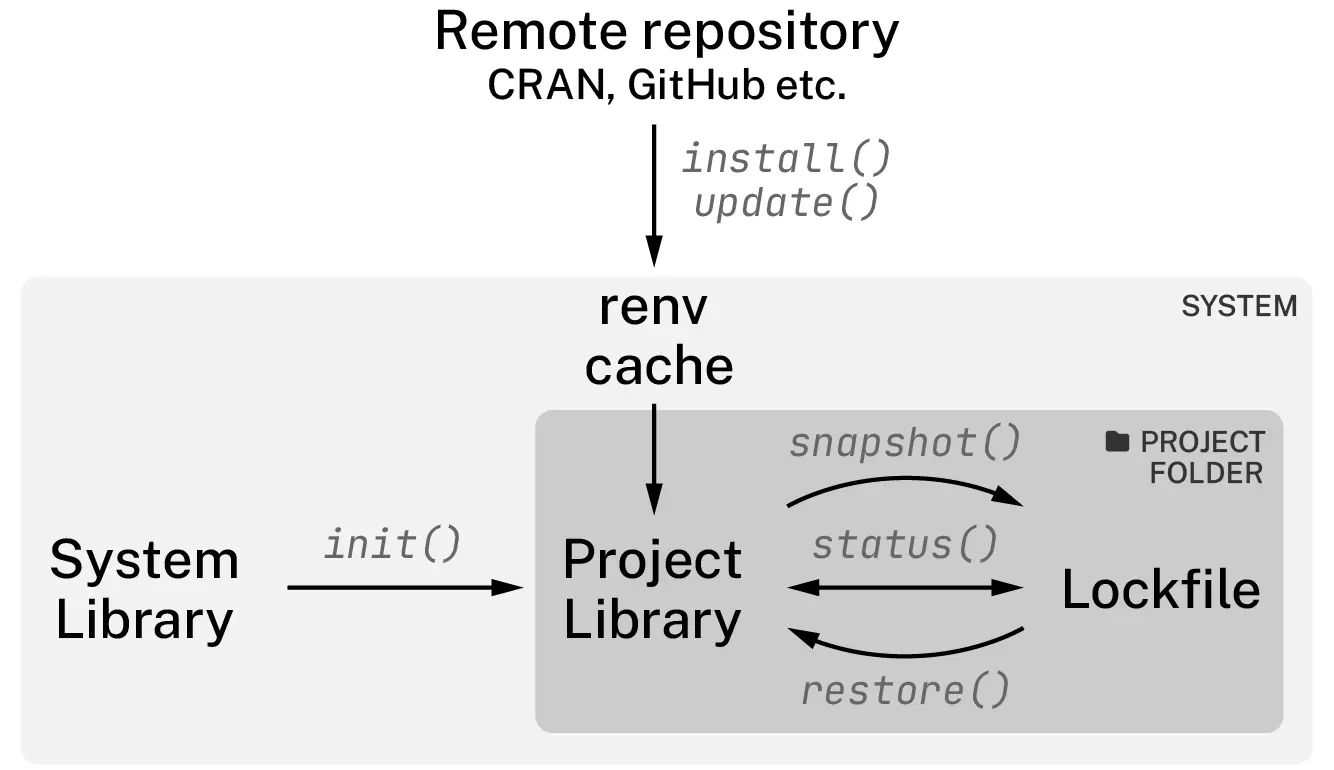
renv (reproducible environments) is a toolkit to manage project-specific libraries of R packages

  • Every project gets its own private library
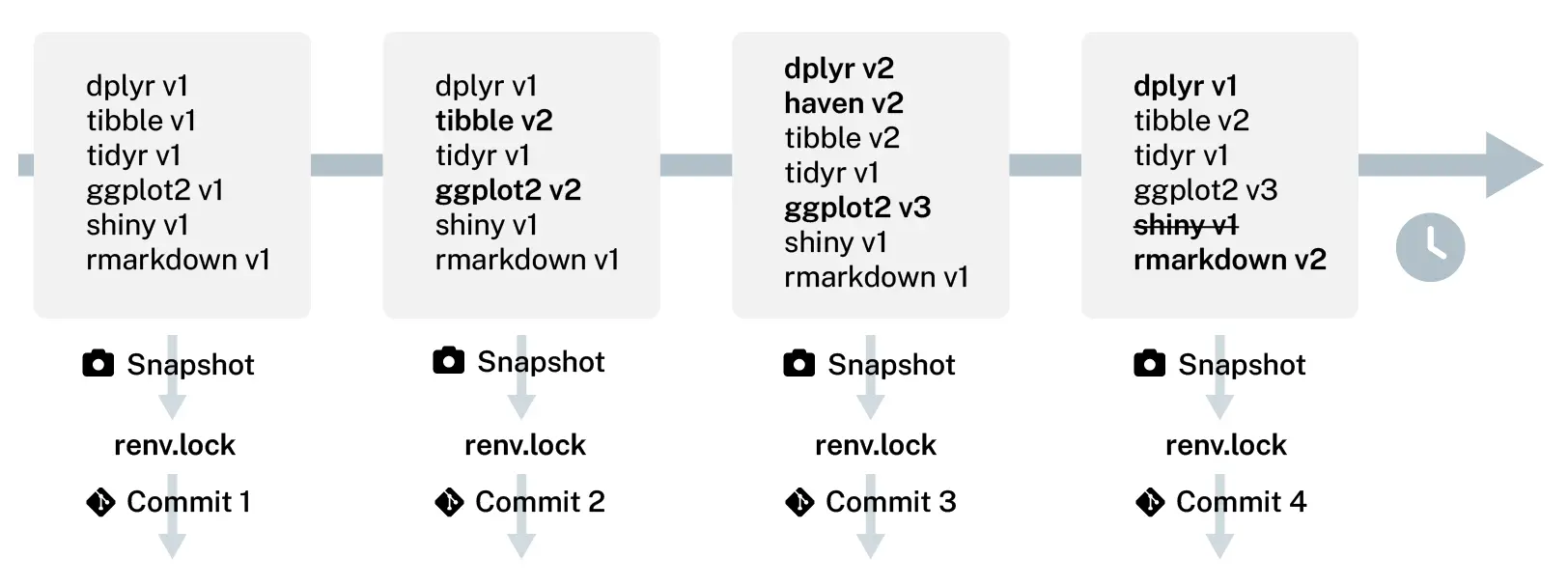
  • Package versions are recorded in a lockfile (renv.lock)
  • Anyone can restore the exact same library from the lockfile

Overview

  1. Initialize
    renv::init()

  2. Write code, install packages
    install.packages()

  3. Record environment
    renv::snapshot()

  4. Repeat 2 & 3

  5. Restore environment when needed
    renv::restore()
Initialize

renv::init()

Creates in your project:

File / Folder Purpose
renv/ Private package library
renv.lock Exact package versions (JSON)
.Rprofile Auto-activates renv on startup
renv/activate.R Bootstrap script

Tip

Commit renv.lock, .Rprofile, and renv/activate.R to Git.
Add renv/library/ to .gitignore.

Anatomy of renv.lock

{
  "R": {
    "Version": "4.3.2",
    "Repositories": [{ "Name": "CRAN", "URL": "https://p3m.dev/cran/latest" }]
  },
  "Bioconductor": { "Version": "3.18" },
  "remotes": {
    "Package": "remotes",
    "Version": "2.4.2.1",
    "Source": "Repository",
    "Repository": "RSPM",
    "Requirements": [ "R", "methods", "stats", "tools", "utils" ],
    "Hash": "63d15047eb239f95160112bcadc4fcb9"
  }
}
  • R version & repositories
  • Package: name, version, source, repository, requirements, hash

Check status

What has changed in my project compared to the previous record?

> renv::status()
The following package(s) are missing:

 package installed recorded used
 dplyr   n         n        y
 ggplot2 n         n        y
 shiny   n         n        y

See ?renv::status() for advice on resolving these issues.

Snapshot

> renv::snapshot()
The following required packages are not installed:
- dplyr
- ggplot2
- shiny
Packages must first be installed before renv can snapshot them.
Use `renv::dependencies()` to see where this package is used in your project.

What do you want to do?

1: Snapshot, just using the currently installed packages.
2: Install the packages, then snapshot.
3: Cancel, and resolve the situation on your own.
> renv::snapshot()
The following package(s) will be updated in the lockfile:

# RSPM -----------------------------------------------------------------------
- dplyr        [* -> 1.1.4]
- fansi        [* -> 1.0.6]
- generics     [* -> 0.1.3]
- tidyselect   [* -> 1.2.0]
- utf8         [* -> 1.2.4]
- withr        [* -> 3.0.0]

Do you want to proceed? [Y/n]:

Restoring library

> renv::restore()
The following package(s) will be updated:

# CRAN -----------------------------------------------------------------------
- R6            [* -> 2.5.1]
- fontawesome   [* -> 0.5.2]
- xfun          [* -> 0.41]
- yaml          [* -> 2.3.8]

# RSPM -----------------------------------------------------------------------
- dplyr         [* -> 1.1.4]
- fansi         [* -> 1.0.6]
- withr         [* -> 3.0.0]

Do you want to proceed? [Y/n]:
  • renv::restore()
  • Rebuild a project library from a lockfile
  • Handles multiple sources
    • CRAN
    • Bioconductor
    • GitHub
    • GitLab
    • Bitbucket
    • Private repositories…
  • Will not modify R version

Tracking lockfile

# view lockfile history
renv::history()

# revert to previous state
renv::revert(commit="commit 2")

How renv works
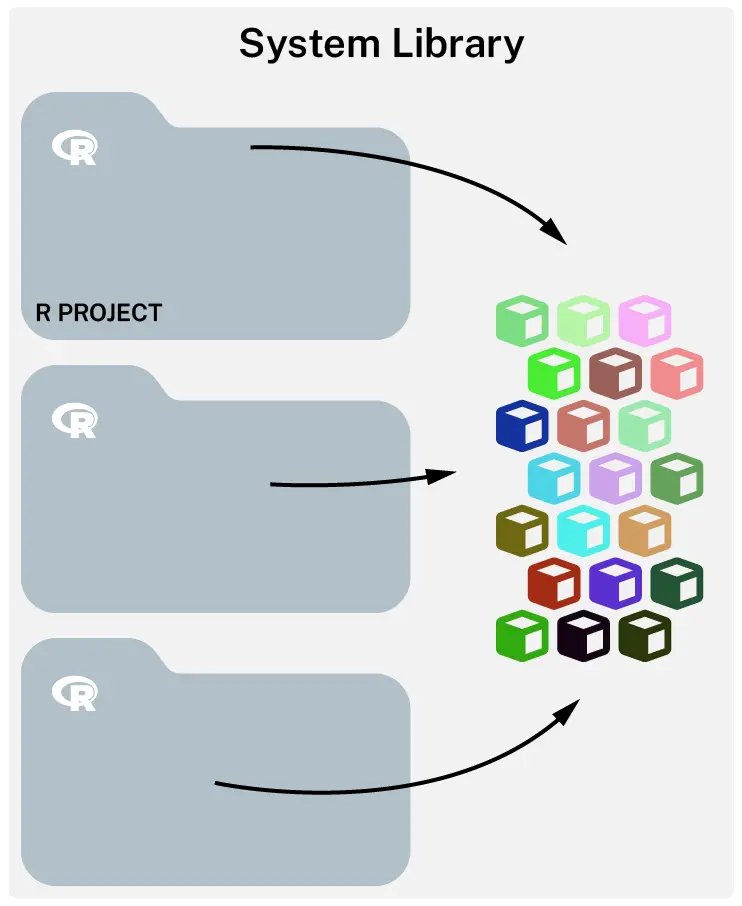
All projects share the same library
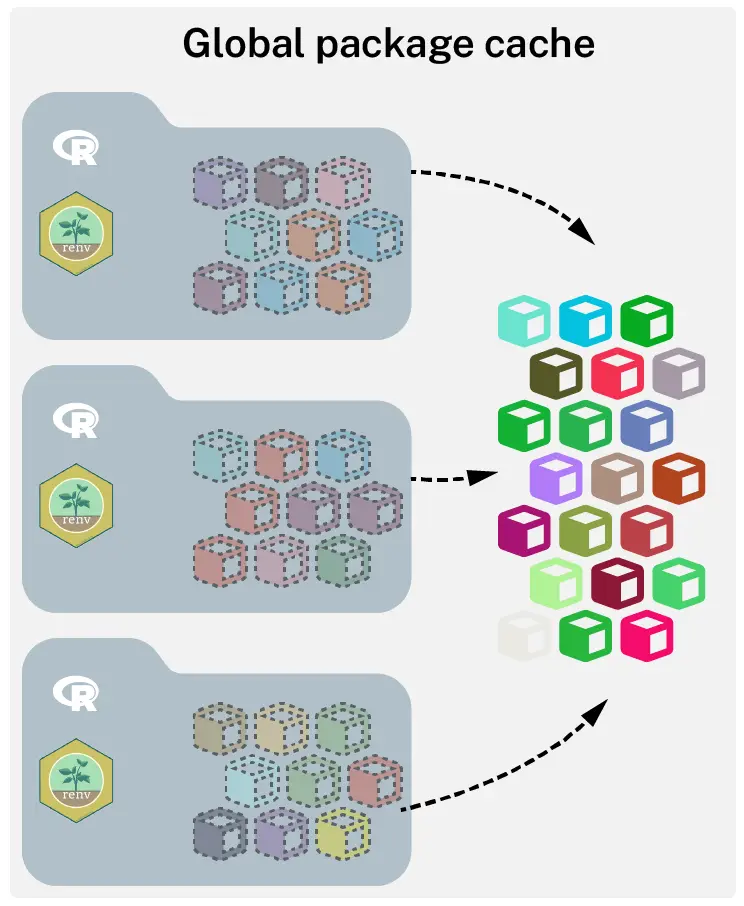
Each project has its own library. Projects’ libraries are linked to the global cache.
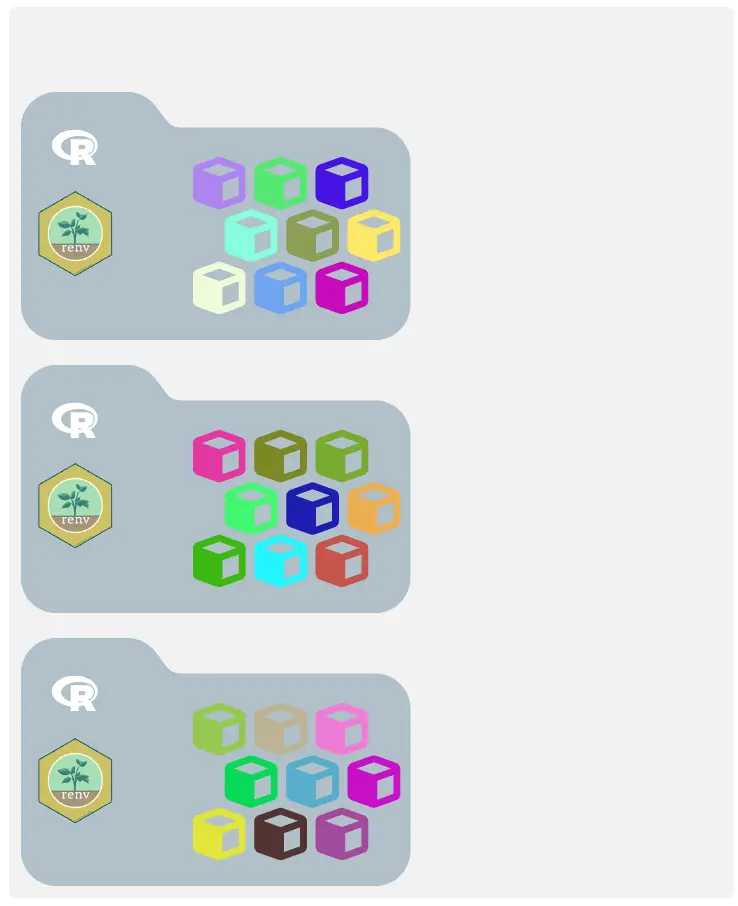
Each project has its own library. Disable global cache: renv::settings$use.cache(FALSE)

Tips & Tricks

  • Use renv::dependencies() to discover dependencies in your project
  • Create and maintain a .renvignore file to exclude files from dependency discovery
  • Snapshot all packages in the library regardless of whether they are used in the project renv::snapshot(type = "all")
  • Ignore a package in the snapshot: renv::settings$ignored.packages("pkg")
  • Use renv::install() to install packages from multiple sources (CRAN, Bioconductor, GitHub, local path) renv::install(c("ggplot2@3.4.0", "bioc::DESeq2", "tidyverse/ggplot2"))
  • Use pak as backend for faster installs: options(renv.config.pak.enabled = TRUE)
  • Add pkgs to lockfile without installing: renv::record("pkg")
  • Remove unused packages from the local library: renv::clean() or from global cache: renv::purge()
  • Restore only selected packages: renv::restore(packages = c("dplyr", "ggplot2"))
  • Copy pkgs from global cache to local library: renv::isolate()
  • Update a package to a newer version: renv::update("pkg")
  • If renv is behaving weirdly, try renv::diagnostics() to check for common issues
  • Disabling renv
    • Temporarily: renv::deactivate() or to activate again renv::activate()
    • Permanently: renv::deactivate(clean=TRUE) removes renv/, .Rprofile and renv.lockfile
    • Remove global cache completely: unlink(renv::paths$root(), recursive=TRUE)

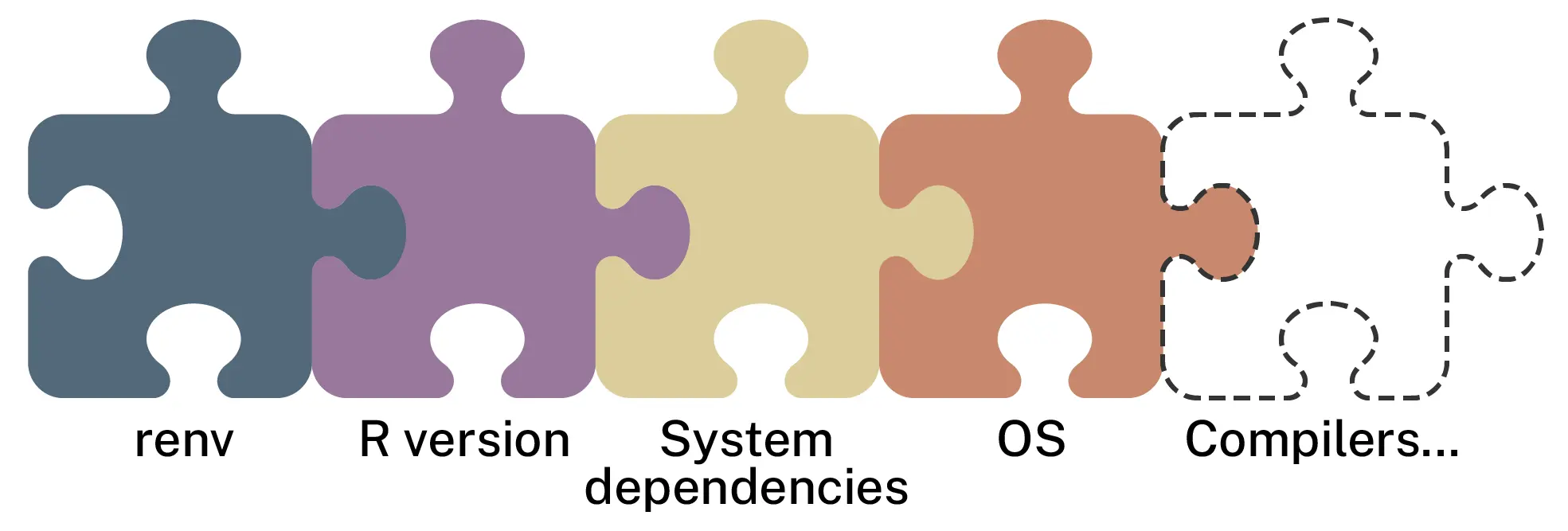
renv is only one piece of the reproducibility puzzle
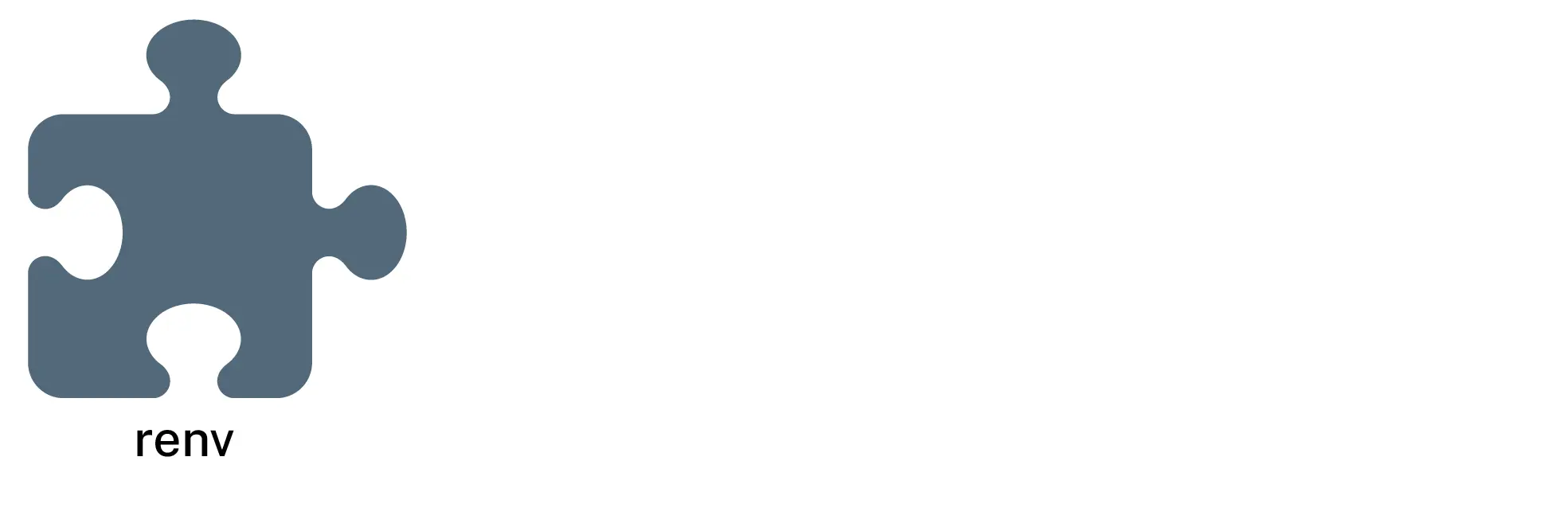
renv is only one piece of the reproducibility puzzle
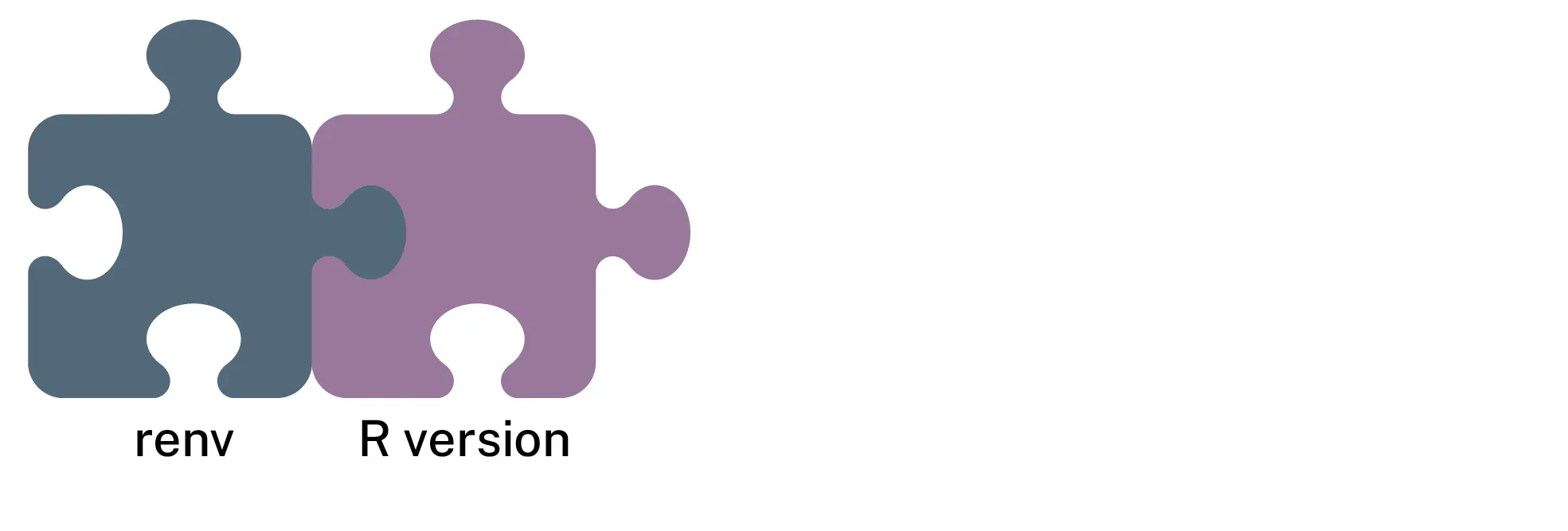
renv is only one piece of the reproducibility puzzle
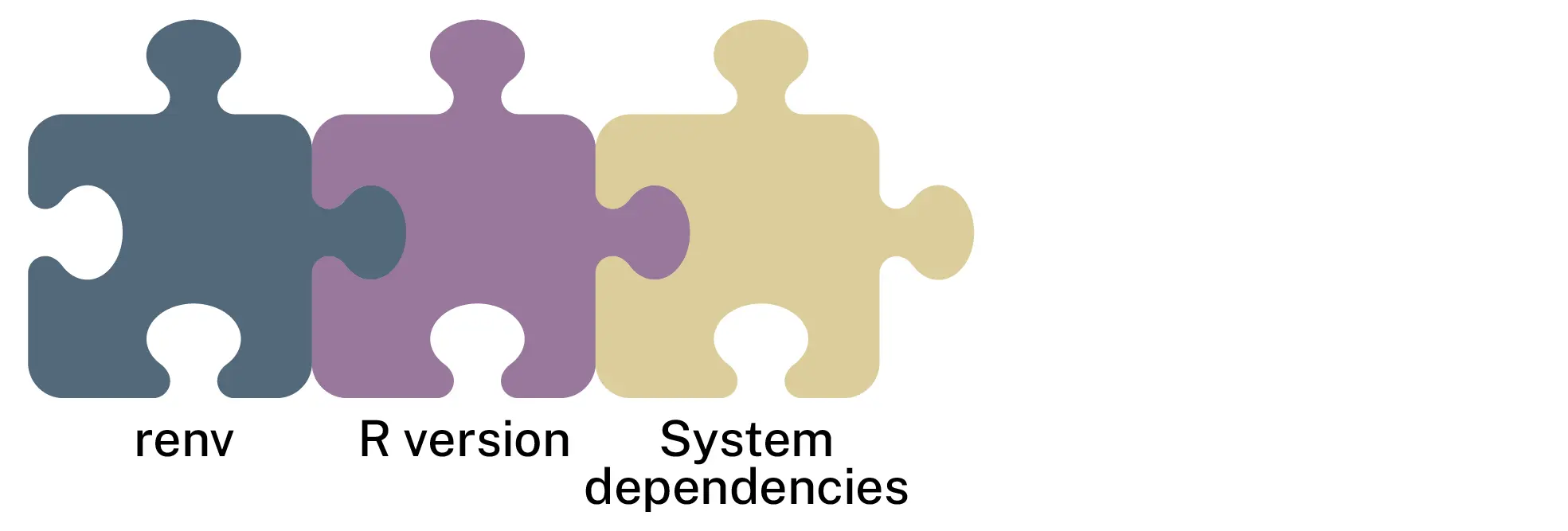
renv is only one piece of the reproducibility puzzle
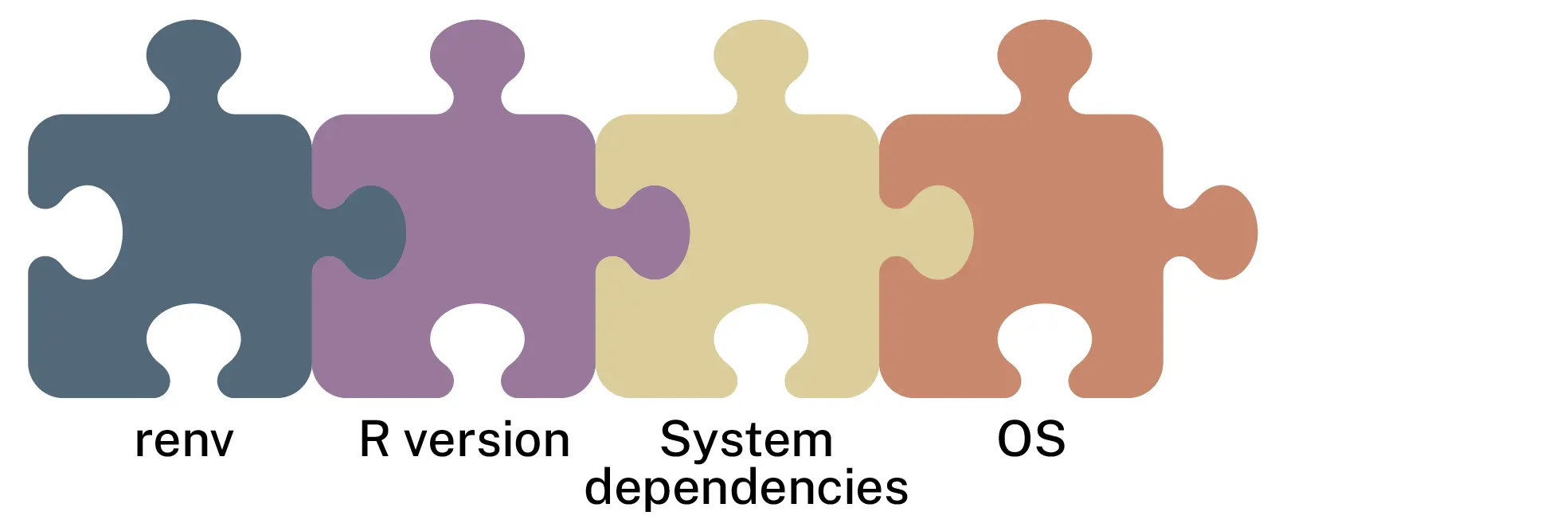
renv is only one piece of the reproducibility puzzle
Recap

Key commands

renv::init()     # Initialize project lib
renv::snapshot() # Record current lib state
renv::restore()  # Restore lib from lockfile
renv::status()   # Check if lib matches lockfile

renv::update()       # Update packages
renv::install("pkg") # Install a package
renv::dependencies() # Discover dependencies
renv::history()      # View lockfile history
renv::revert()       # Revert to previous state
renv::clean()        # Remove unused pkgs from local library
renv::purge()        # Remove unused pkgs from global cache
renv::isolate()      # Copy pkgs locally from global cache
renv::diagnostics()  # Check for common issues
renv::deactivate()   # Temporarily disable renv

Alternatives

Emerging alternatives to renv

  • uvr
    • Inspired by Python’s uv library
    • uvr.toml manifest and uvr.lock lockfile
    • Manages R version, system dependencies, and R packages
    • Rust-based, fast, and cross-platform
    • Resolves entire environment before installation
  • rv
    • rproject.yaml manifest and rv.lock lockfile
    • Does not manage R version or system dependencies
    • Rust-based, fast, and cross-platform
    • Resolves entire environment before installation
  • ir

    a small command-line tool that runs R scripts and renders Quarto documents using runtime requirements declared in the file itself

Acknowledgements


Project environments for R, Kevin Ushey, RStudio::Conf 2020


Reproducible environments with renv, Ryan Johnson, NHS-R community 2023

renv official documentation

Thank you!

Questions?

2026 • SciLifeLabNBISRaukR

Session

R version 4.5.3 (2026-03-11)
Platform: x86_64-conda-linux-gnu
Running under: Ubuntu 26.04 LTS

Matrix products: default
BLAS/LAPACK: /home/roy/miniforge3/envs/r-4.5/lib/libopenblasp-r0.3.33.so;  LAPACK version 3.12.0

locale:
 [1] LC_CTYPE=en_US.UTF-8       LC_NUMERIC=C              
 [3] LC_TIME=en_US.UTF-8        LC_COLLATE=en_US.UTF-8    
 [5] LC_MONETARY=en_US.UTF-8    LC_MESSAGES=en_US.UTF-8   
 [7] LC_PAPER=en_US.UTF-8       LC_NAME=C                 
 [9] LC_ADDRESS=C               LC_TELEPHONE=C            
[11] LC_MEASUREMENT=en_US.UTF-8 LC_IDENTIFICATION=C       

time zone: Europe/Stockholm
tzcode source: system (glibc)

attached base packages:
[1] stats     graphics  grDevices utils     datasets  methods   base     

loaded via a namespace (and not attached):
 [1] compiler_4.5.3  fastmap_1.2.0   cli_3.6.6       tools_4.5.3    
 [5] htmltools_0.5.9 otel_0.2.0      yaml_2.3.12     rmarkdown_2.31 
 [9] knitr_1.51      jsonlite_2.0.0  xfun_0.59       digest_0.6.39  
[13] rlang_1.3.0     evaluate_1.0.5